How It Works
Our AI-powered tool analyzes your layered SVG files and generates beautiful animations in just a few clicks.
Upload Layered SVG
Export your design as an SVG with layers from Figma, Illustrator, or any design tool.
AI Analysis
Our AI analyzes your SVG layers and suggests meaningful animations based on the content.
Generate Animation
With one click, generate professional animations that bring your static designs to life.
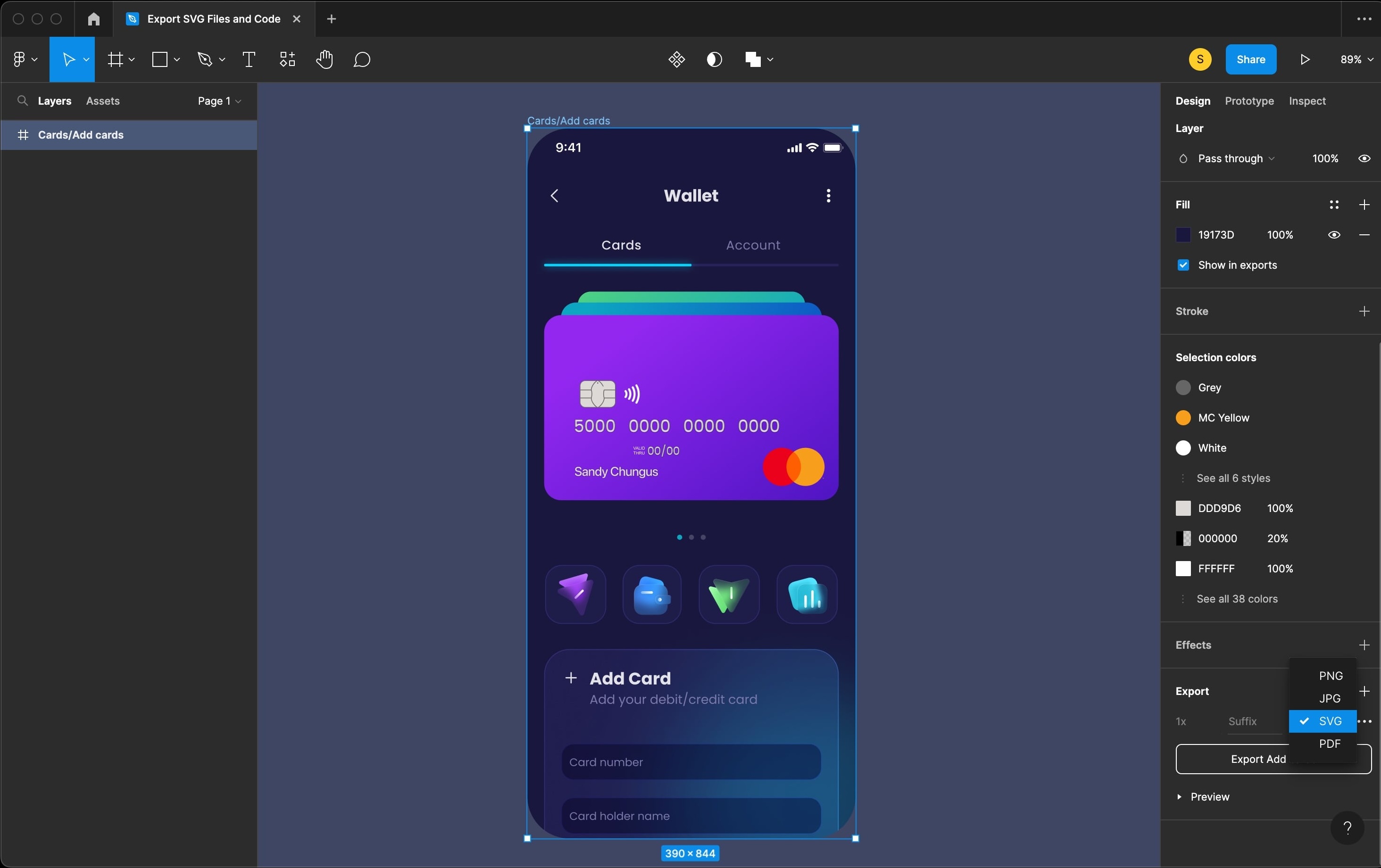
Exporting from Figma
Select the layers you want to animate in Figma
Right-click and select "Export..."
Choose SVG format and ensure "Include 'id' attribute" is checked
Upload the exported SVG to our tool and let the magic happen
Frequently Asked Questions
Got questions? We've got answers.
What file formats are supported?
Currently, we support SVG files with properly structured layers. These can be exported from design tools like Figma, Adobe Illustrator, or Sketch.
Do I need coding skills to use this tool?
Not at all! Our tool is designed for designers and non-technical users. The AI handles all the complex animation code for you.
How do I export my animation?
After generating your animation, you can download it as Mp4 file.
Can I customize the generated animations?
Yes! While our AI creates a great starting point, you can edit the animation parameters, timing, and effects to fine-tune the result.